
Home » Download
Download BDPOP App for Fast Login, Live Cricket, and JILI Slots
Quick app overview and direct download guidance for fast play on mobile
The BDPOP app puts live cricket odds, JILI slots, and quick support in your pocket. It loads fast on mobile data and keeps you signed in. Start your BDPOP app download with the steps below and get from tap to play in less time.
Trust matters on mobile. Expect secure login, verification where needed, and name-match checks for smooth withdrawals. Prefer a browser? You can access the same account from the BDPOP Main Site without losing progress.

Why the BDPOP app suits local players on everyday data and devices
The app is designed for quick sessions, light data use, and steady performance on common Android and iPhone models.
One‑tap login with PIN or biometrics
Save time on every BDPOP login. Set a 4‑digit PIN or use Face/Touch ID for instant access while keeping your account protected.
Live cricket markets and score updates that load fast
Follow BDPOP cricket odds, scoreboards, and cashout options with quick refresh. Place pre‑match or in‑play bets in a few taps.
JILI slots and popular tables tuned for quick spins
Open JILI slots, roulette, and more without long waits. Game pages are optimized to reduce lag and keep spins steady.
Clean layout that cuts steps to place a bet or spin
Focused menus, bigger buttons, and a tidy bet slip help you move around faster, even on smaller screens.
Account checks that help prevent payment mismatches later
Profile verification and name‑match reminders reduce payout delays. Keep your details accurate and avoid avoidable support tickets.
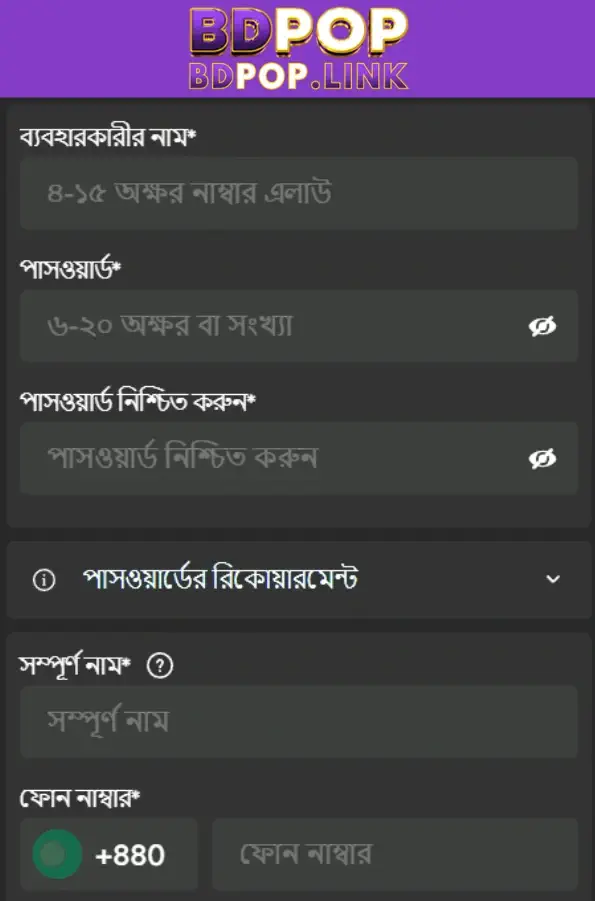
Step-by-step instructions to download, install, and start using the BDPOP app
Android installation using the official app file
- Open your mobile browser and visit the BDPOP official site.
- Go to the App page and tap Get for Android.
- Confirm the download when your browser prompts you.
- After it finishes, open the file from the notification or your Downloads folder.
- If asked, allow your browser the Install unknown apps permission (Allow from this source).
- Tap Install and wait until the progress bar completes.
- Open the app, then allow notifications if you want instant match or offer alerts.
- Sign in or create your account, and set up a PIN or biometric for quicker next time.
iPhone access by adding the web app to your Home Screen
- Open Safari and visit the BDPOP official site.
- Log in to your account so the shortcut remembers your session.
- Tap the Share icon, choose Add to Home Screen, then tap Add.
- Launch the icon to open BDPOP in a full‑screen web experience.
- Enable notifications where supported to receive match and promo updates.
If a prompt blocks progress, grant the requested permission and try again; your BDPOP app download should complete in minutes.
Android and iOS access with quick buttons for instant app or web use
Android: Tap Get Android App to install now. The package is small, installs quickly, and opens straight to your last screen. This uses the official BDPOP APK.
iPhone: Tap Open in Safari, then Add to Home Screen for app‑like access. Your BDPOP icon keeps you one tap from cricket odds, JILI slots, and support.

Mobile features tuned for cricket, JILI, and quick sessions on the go
- Fast login with PIN, Face ID, or Touch ID to save time.
- Live cricket cards with quick markets and a smart bet slip.
- JILI slots with quick spins and stable performance on mobile data.
- Instant notifications for results, boosts, and limited‑time offers.
- Cleaner menus and fewer steps to find your favorite markets.
- Lightweight updates that keep storage use under control.
- In‑app support chat for quick help when you need it.
App-related bonuses, reload offers, and alerts that reward active mobile users
Installing the app can unlock tighter response times to offers, early access to reload deals, and alerts that help you act before limits change. Watch for a BDPOP bonus during high‑profile cricket weeks.
For the latest app‑only offers and timed reloads, check BDPOP Promotions and turn on push notifications so you never miss a code.
New to the brand and want a head start? Use BDPOP Register to set up your account before claiming any welcome bonus.
Terms apply to every reward. Keep your profile verified and your account name consistent to avoid payout delays later.
Safe install practices, official sources, permissions, and update behavior explained clearly
Download only from the BDPOP official site. Avoid third‑party stores and mirrored links that could host modified files.
Before installing, confirm the app icon and brand name match what you see on the site. Do not proceed if anything looks altered.
On Android, you may need to grant your browser the Install unknown apps permission once. After install, you can remove that permission.
Keep permissions lean: notifications for alerts, biometrics for faster login. You can review and toggle each permission in your phone settings.
For updates, follow in‑app prompts or revisit the official App page. Reinstall over your current app to replace older versions safely.
Maintain device hygiene: updated OS, enough free storage, and a screen lock. Matching your account name to your payout name helps avoid transfer holds.
Frequently asked questions about downloading, installing, and using the BDPOP app
Is the BDPOP app free to install and use?
Yes. Installation is free. Using the app does not add fees; only your wagers and normal data charges apply.
Why does my phone warn me about installing from this source?
Android warns when installing outside the store. Allow your browser as a trusted source once, install the official file, then disable that permission if you want.
How do I put the app on my iPhone Home Screen?
Open Safari, visit the official site, tap Share, choose Add to Home Screen, then Add. Launch the new icon for fast, full‑screen access.
How do I update to the latest Android version?
Open the app and check for an update prompt, or return to the App page on the official site, download the new file, and install over the old one.
I can’t log in or receive verification codes. What should I check?
Confirm your number or email is correct, your clock/time zone is accurate, and notifications are enabled. If needed, use in‑app chat for help.
Ready to play faster? Download the app and start within a minute
Grab the BDPOP app on Android or add it to your iPhone Home Screen. Enjoy quicker login, fast cricket markets, and JILI spins without the wait.
Install now, set a PIN, and turn on alerts. You’ll get match updates and time‑sensitive offers right when they drop so you can act in time.